
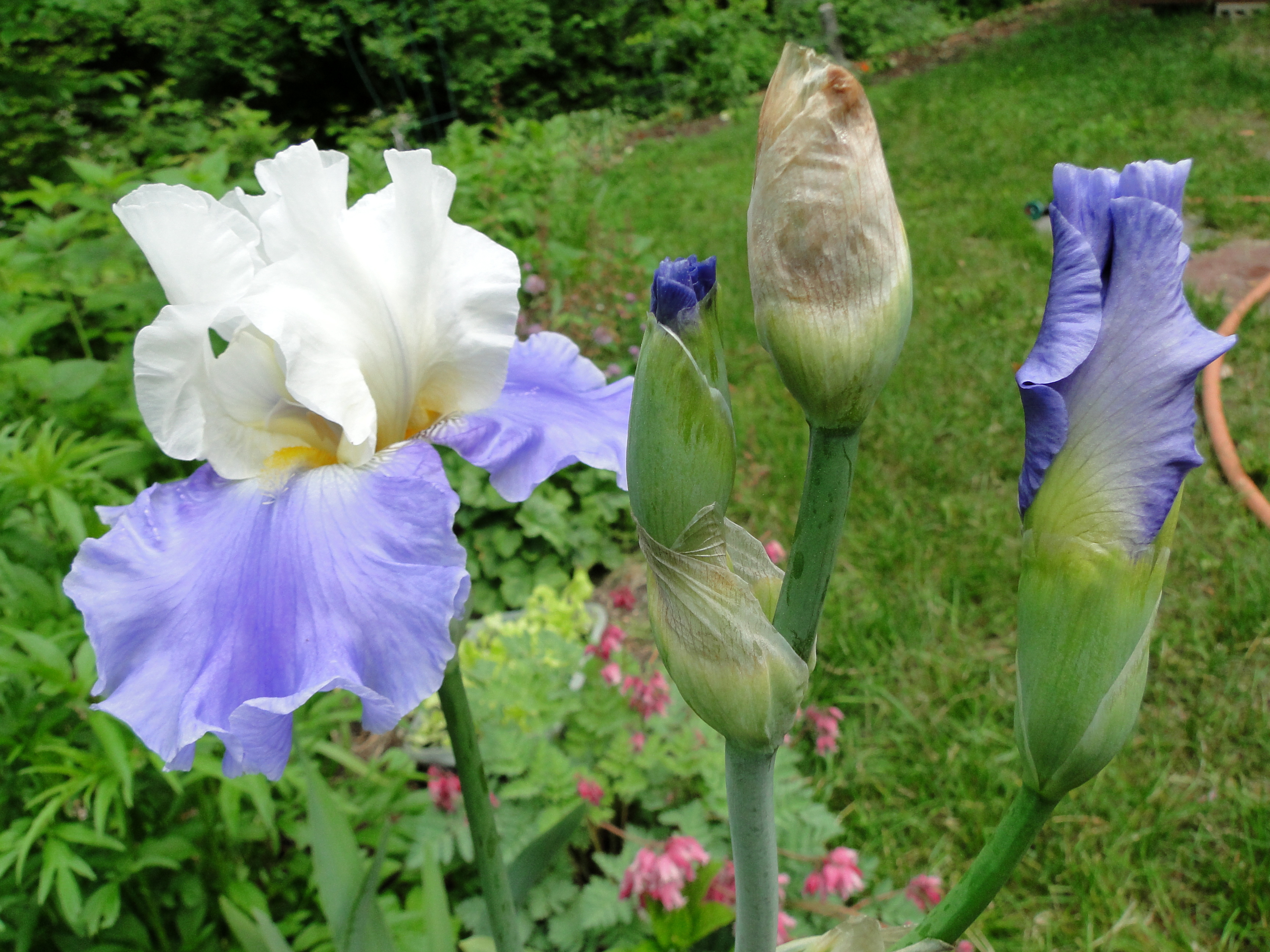
Image Compare: Top right – garden hose, now removed in image below.

Can you see a difference in these pictures? There is unwanted clutter in the first one. The photo at the top has a garden hose on the right side of the photo, but I have removed the hose using the “clone stamp” and the results is seen in the bottom photo.
After photographing this flower I wanted to use the best pictures to make products for my online shop, but if I used this good photo of the flowers, there is a piece of an unsightly garden hose in the background.
Fortunately I have learned how to remove unwanted stuff from my photos. With a little patience, I can usually get it to look okay. If you are interested in how I removed the garden hose from my photo, read a page I wrote at Wizzley to explain ♥ how to use the clone stamp in a free graphics program called paint(dot)net.
And if you want to ♥ remove the entire background, for a transparent image, I can tell you how to do that too. I have to do that for many of the designs I make and sell in my stores.
My Latests Posts
- So Long For Now
- Time to Harvest the Roselle Hibiscus For Tea
- Five Florida Summer Crops That Need Little to No Attention
- Fall Gardening is Underway
- Orange Bug Nymph ID… They Are

 Hydrangeas Blue